WINDOWS 10 / 11 · X64
A calmer Windows desktop.
Live wallpaper, desktop folders, notes and screen capture in one local Windows app.
MIT licensed · Installer and portable ZIP
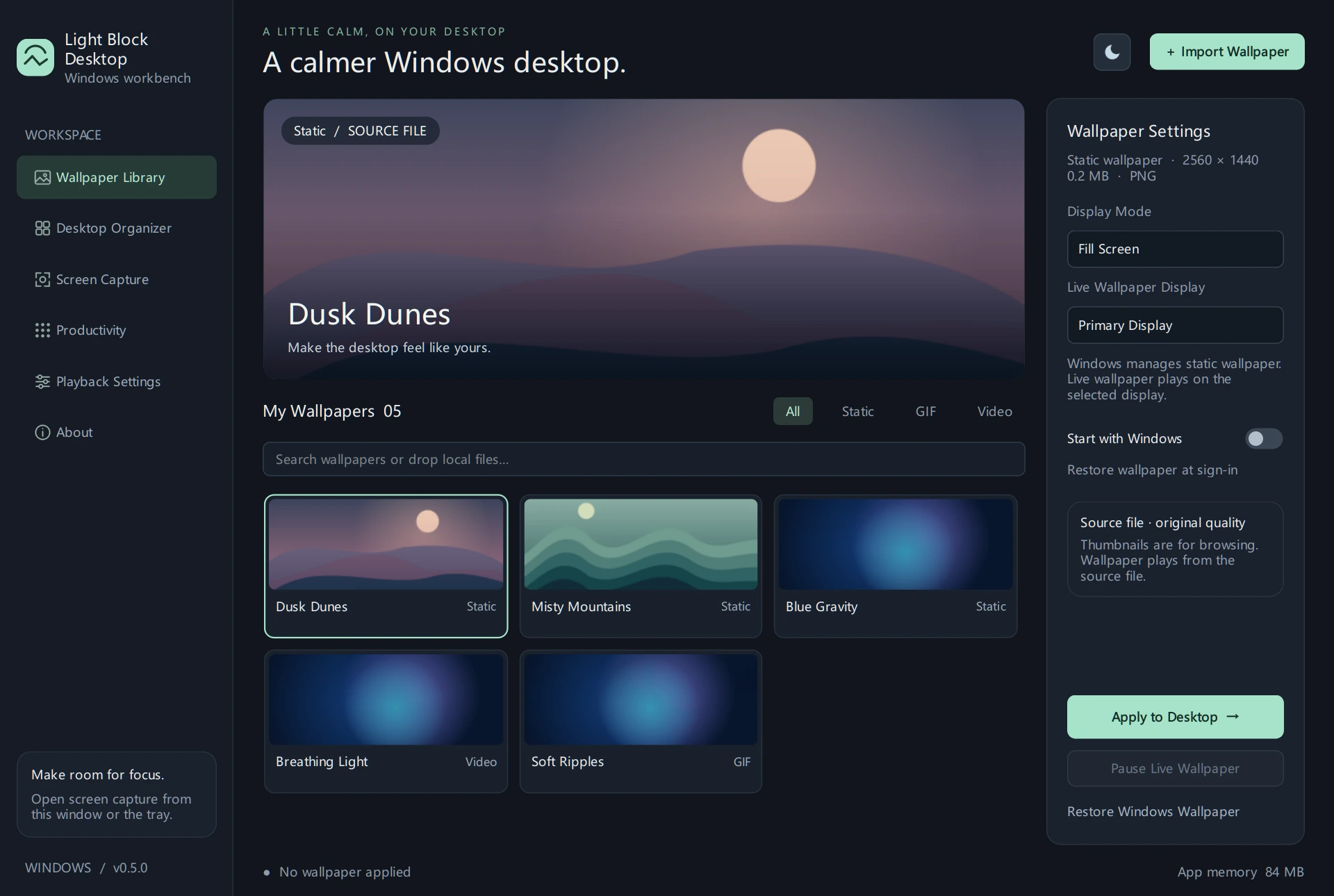 Light Block Desktop · bundled sample media
Plays from source files
Follows Windows display language
Local data
DESKTOP & CAPTURE
From wallpaper to workbench
Use live wallpaper, desktop folders and screen capture independently. Enable the parts you need.
01 / WALLPAPER
Static, GIF and video wallpapers
Import local media and choose how it fits your display. GIF and video play from the source file. Windows handles static wallpaper.
- Start quietly at sign-in and restore the last wallpaper.
- Pause when a full-screen app takes over, the screen locks, the display turns off or you switch to battery.
02 / ORGANIZE
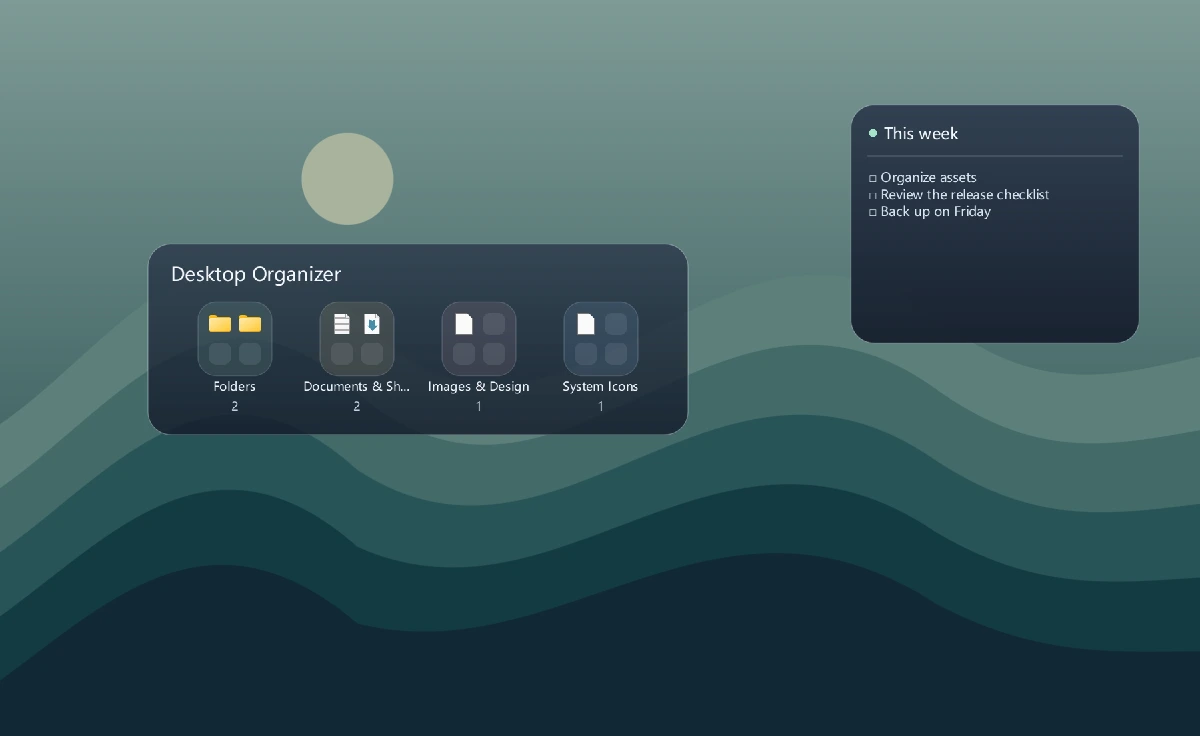
A place for files and notes
Group folders, shortcuts, system entries and files by type. Click a translucent folder to expand its grid and click away to close it.
- Rename groups and adjust icon sizes and opacity. Source files stay in place.
- Disabling the organizer restores the original icon visibility. Pin notes to the desktop independently.
03 / CAPTURE
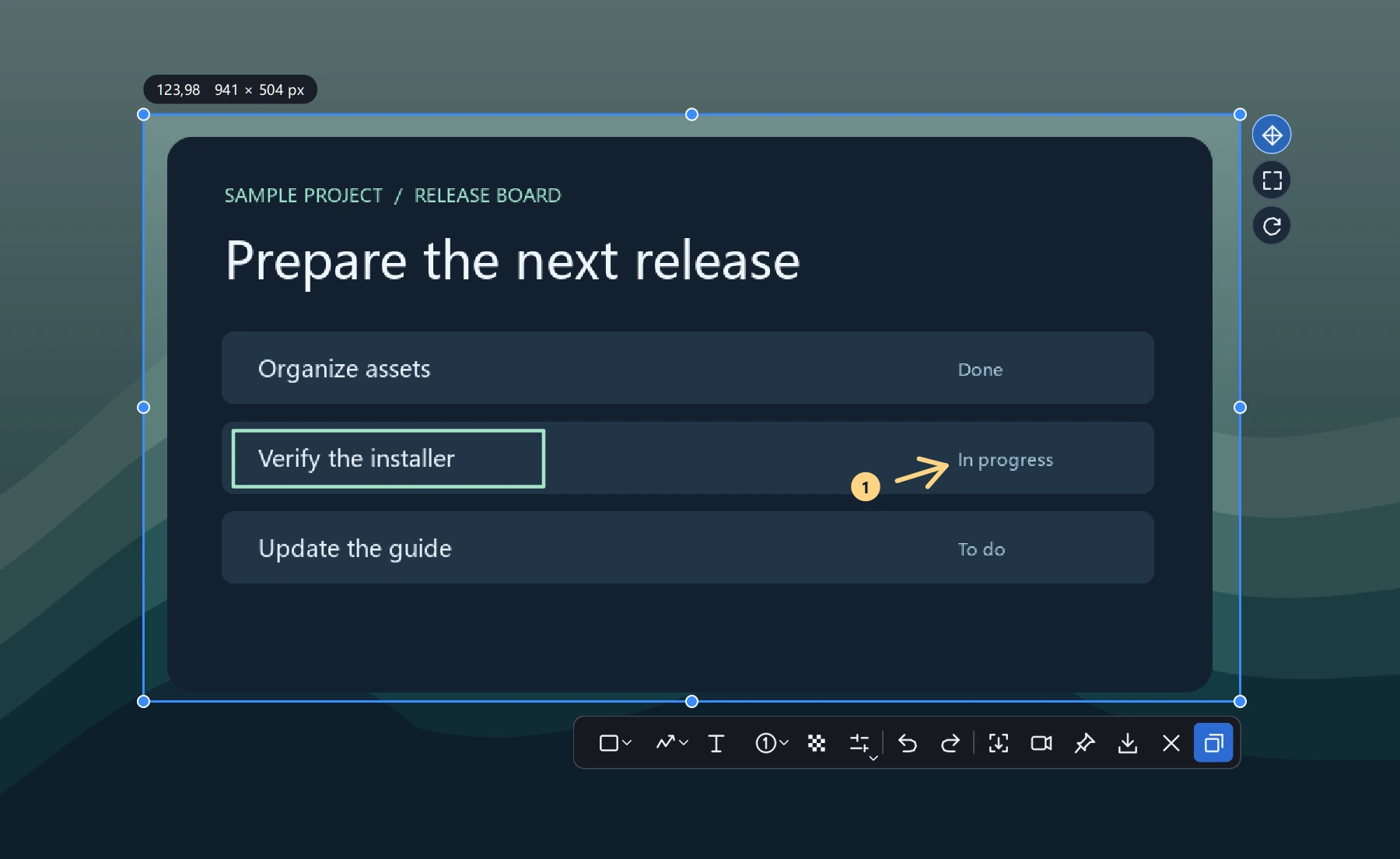
Capture, annotate, pin and record
Open the picker with Ctrl + Alt + A. Choose a window or region, then add text, arrows, strokes, mosaic and numbered markers.
- Pin a capture above windows. Double-click it to close and copy.
- Stitch a scrolling region, or record a region and save it as MP4, GIF or lossless MKV.
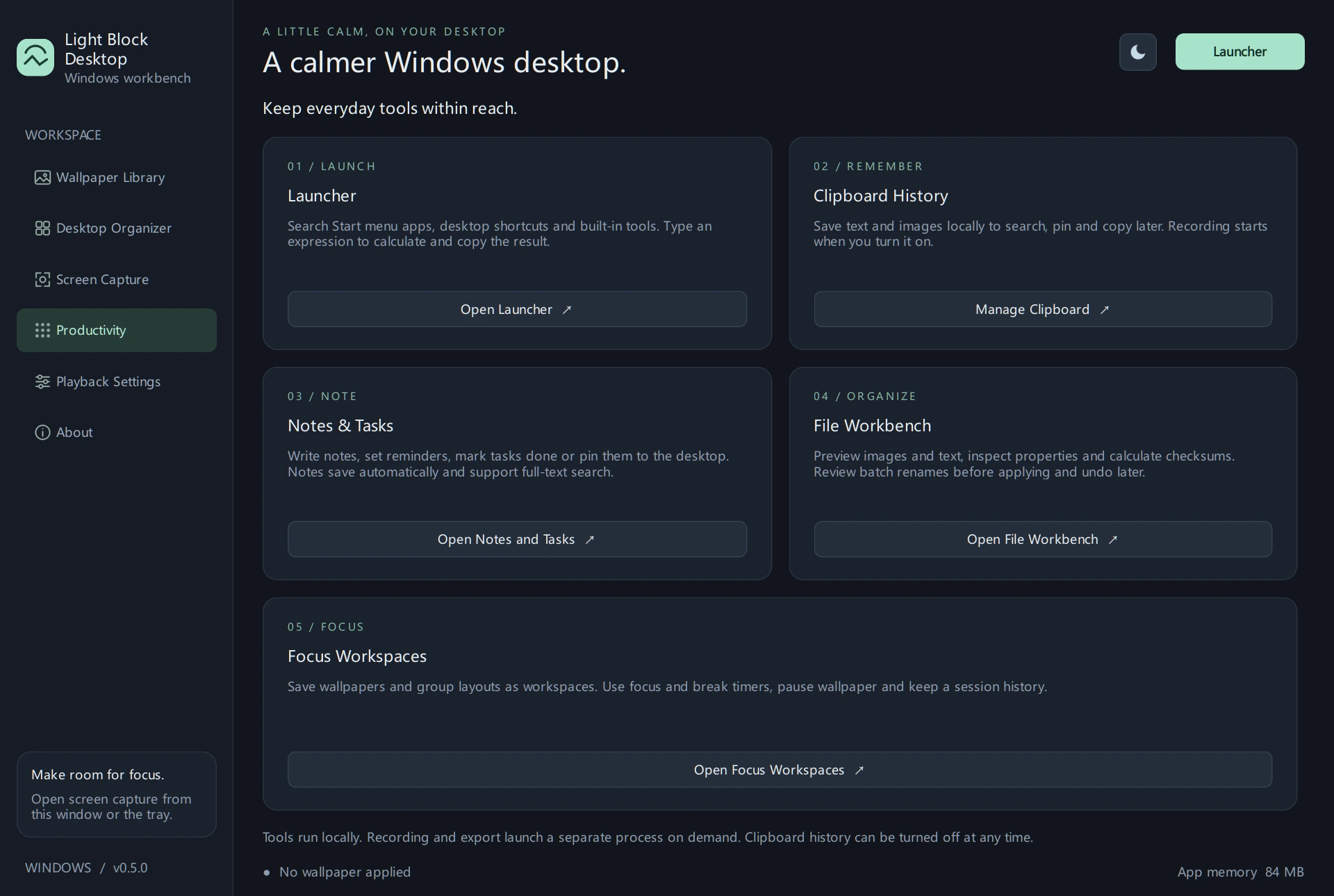
PRODUCTIVITY
Everyday tools within reach
GET STARTED
Install on Windows
Download and run the latest Setup. Setup and the app both use your Windows display language. The portable ZIP is available on the release page.
How do I upgrade?
Quit the previous version and run the new installer. It keeps your existing settings. Extract the full portable ZIP before launching.
Does recording need anything extra?
Recording and media export require FFmpeg on PATH. Wallpaper playback, still screenshots and desktop folders work with the bundled runtime.
Where is my data stored?
The settings folder is %LOCALAPPDATA%\StillWallpaper. Wallpaper, desktop files and clipboard history are handled on your device.
How is the language selected?
The app uses Simplified Chinese for Chinese Windows display languages and English otherwise. Setup also includes a Traditional Chinese wizard.
 Light Block Desktop